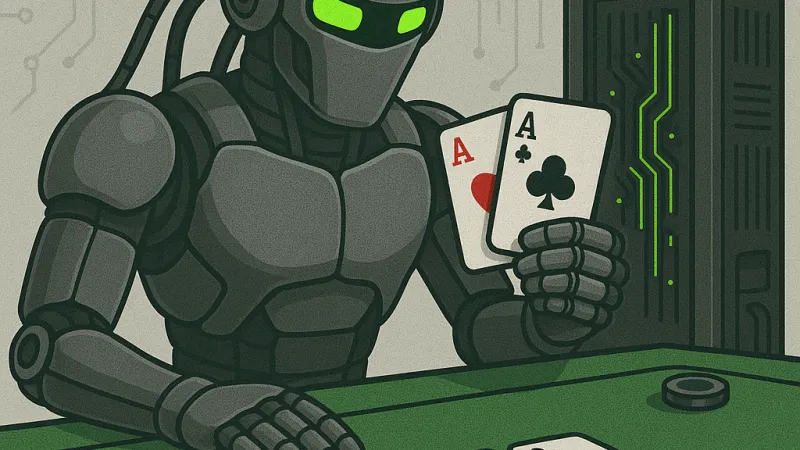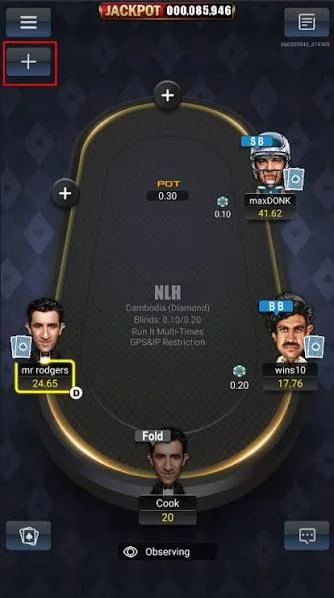

How PokerBros Fights Bots: The Anti-Bot System and What It Means for Players
How the PokerBros anti-bot check works: the 15-second photo rotation test, when it fires, how it fits with Game Integrity BROS and what to do if flagged.
Read more →
 Independent guide 2026
Independent review of the PokerBros app: how the club model works, how to install it on Android, iOS and Windows, and how to stay safe while you play.

Game Integrity BROS runs ML models and live alerts against bots and collusion, with a reported 96–98% proactive detection rate.
NLHE, PLO4/5/6, Double Board, 6+ Hold'em, OFC, MTT, STT and Spin-It, all configurable by the club owner.

Play in a club of 20 to 80 regulars or plug into a union with shared tables. You choose the pool and the stakes.
A table assistant for PokerBros, powered by AI
A private AI helper follows PokerBros tables as you play: it scores the lineup at each table and recommends what to do with the hand in front of you. It is not distributed through this site. Write to us and ask for a trial.
Since its launch in 2019, the PokerBros app has grown into one of the most talked-about social poker platforms in the world. With over a million registered players, a mobile-first design, and a unique private-club ecosystem, it occupies a gray zone between casual play-money apps and competitive home-game culture. Whether you are looking for a PokerBros app download link, trying to figure out how to use PokerBros app features, or simply wondering if the platform is legitimate, this guide covers everything in one place.
Unlike traditional online poker rooms, PokerBros does not operate as a licensed real-money gambling site. Instead, it functions as a social gaming platform where players use virtual "chips" inside private clubs. That distinction matters legally, but it also shapes the user experience, the security risks, and the way you should approach the game.
The PokerBros app runs on a "play money" model. When you register, you receive free chips that can be used in the open "Gold Lobby" or inside private clubs. The Gold Lobby is open to everyone and uses standard house chips. Private clubs, however, operate with their own "Club Chips," which are managed by independent club owners, agents, and unions.
This structure means that while the app itself does not process real-money transactions, the club ecosystem exists in a peer-to-peer space. Players often exchange Club Chips for real value through trusted agents or club admins. Because of this, choosing a reputable club is arguably more important than mastering the software.
Legal Disclaimer
PokerBros is an online social gaming platform. It does not provide real-money gambling services. Any exchange of chips for fiat currency happens outside the app and carries inherent risk. Play responsibly and verify local regulations.
Most reviews stop at describing PokerBros in isolation. That is a mistake. If you are deciding where to play, you need context. Below is a direct comparison against the three closest alternatives: PPPoker, ClubGG, and Upoker.
| Feature | PokerBros | PPPoker | ClubGG | Upoker |
|---|---|---|---|---|
| Primary Platform | Mobile-first (iOS/Android) | Mobile-first | Mobile-first | Mobile-first |
| PC Support | Emulator only | Emulator only | Emulator only | Emulator only |
| Club Customization | Extensive (blinds, IP/GPS, run-it-twice, timer) | High | Moderate | Moderate |
| HUD Compatibility | Limited (emulator only; ToS risk) | Similar | Similar | Similar |
| Security Team | GIB (dedicated in-house) | Third-party | Third-party | Third-party |
| RNG Certification | iTech Labs, GLI, BMM | Varies by skin | Varies by skin | Varies by skin |
| Game Variety | NLHE, PLO 4/5/6, OFC, 6+, Double Board, MTT, STT, Spin-It | NLHE, PLO, OFC, Short Deck | NLHE, PLO, OFC | NLHE, PLO, OFC |
| Union System | Yes (large unions available) | Yes | Yes | Limited |
| Agent System | Robust | Robust | Moderate | Minimal |
| Multi-tabling | Up to 4 tables | Up to 4 tables | Up to 4 tables | Up to 4 tables |
Why this matters: PokerBros differentiates itself through three things: (1) the depth of club customization, (2) a dedicated in-house Game Integrity Team (GIB) rather than outsourced security, and (3) a broader selection of niche formats like 6-Card PLO and Double Board Omaha.
No app is perfect. Aggregating thousands of reviews from Google Play, the App Store, and poker forums like TwoPlusTwo and Reddit reveals a consistent pattern.
Pros - Smooth, intuitive mobile interface optimized for phones and tablets - Massive variety of games and stake levels through clubs - Active social features (avatars, throwables, chat) - Reliable uptime and regular feature updates - Strong anti-bot reputation relative to other club-based apps
Cons - No native desktop client; pokerbros windows app experience requires an emulator - Club quality varies wildly; finding a trustworthy club takes effort - Customer support can be slow for non-club-related technical issues - Some players report occasional crashes on older Android devices - Real-money transactions exist in a legal gray area
Getting started with the PokerBros app download process is straightforward, but the exact steps depend on your device. Below is a platform-by-platform breakdown.
You have two options for Android: the Google Play Store or the official APK from pokerbros.net.
Warning
Only download APK files from the official pokerbros.net domain. Third-party APK mirrors may contain malware or outdated versions that compromise your account security.
For iPhone and iPad users, the process is even simpler:
Note: Regional availability can vary. If you cannot find the app in your local App Store, you may need to switch your Apple ID region or use the web-based contact form on pokerbros.net to request assistance.
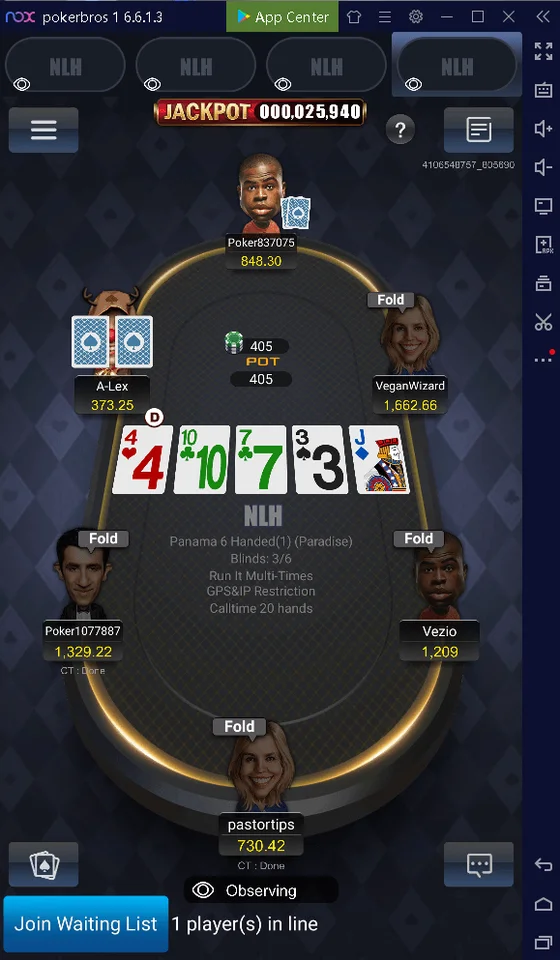
Here is the truth: there is no native pokerbros windows app. The developers have intentionally kept the platform mobile-only to reduce the risk of bots, HUDs, and automated cheating tools. However, you can still play on Windows using an Android emulator.
| Emulator | System Requirements | Performance | Best For | HUD Support (Unofficial) |
|---|---|---|---|---|
| LDPlayer | 4GB RAM (8GB recommended), Windows 7+ | Excellent, lightweight | Poker-focused users | Possible via emulator tools |
| BlueStacks | 4GB RAM (8GB recommended), SSD preferred | Good, heavier UI | General Android gaming | Possible |
| NoxPlayer | 4GB RAM, VT-x enabled | Moderate | Older PCs | Limited |
Setup Steps: 1. Download and install your chosen emulator. 2. Enable virtualization (VT-x/AMD-V) in your BIOS if it is not already active. 3. Launch the emulator, sign in with a Google account, and open the Play Store or install the APK. 4. Download PokerBros and launch it inside the emulator window.
Tip
LDPlayer is generally preferred by the poker community because it is lighter than BlueStacks and runs well on mid-range hardware. Allocate at least 2 CPU cores and 2GB of RAM to the emulator instance for smooth gameplay.
If you own a Mac with an Apple Silicon chip (M1, M2, or M3), you can install the iOS version of PokerBros directly from the Mac App Store. It runs natively without emulation. Intel-based Macs, however, will need to run an Android emulator just like Windows users.
Once the app is installed, follow these steps:
Binding your email is critical. It is the only reliable way to recover your account if you forget your password or switch devices.
If you are new to club-based poker platforms, the interface can feel overwhelming. This section breaks down how to use PokerBros app features in plain language.
When you first log in, you will see the main lobby. Think of it as your dashboard. Here is what each section does:
The heart of PokerBros is its club system. To join one, you need two pieces of information: a Club ID and, optionally, a Referrer ID.
Safety Check: 5 Red Flags When Choosing a Club
Not all clubs operate in isolation. Many belong to unions — networks of clubs that share the same player pool and table selection. This means more games, more action, and bigger guarantees.
| Model | How It Works | Best For | Risk Level |
|---|---|---|---|
| Direct Club | You join a single club and play only against its members | Small, trusted home games | Low (if you know the owner) |
| Agent Route | An agent refers you to a club and handles chip exchanges | Players who need help navigating the ecosystem | Medium (depends on agent reputation) |
| Union Club | Your club is part of a larger network with shared tables | Players who want maximum traffic and game variety | Medium (union standards vary) |
Agents act as middlemen. They earn a percentage of the rake generated by players they refer. Some clubs work exclusively with agents; others accept direct members. If you already know a trusted agent, the trust factor can be worth it. If not, joining a club directly is usually safer than going through an unknown agent.
PokerBros offers an impressive range of formats. Below is a quick-reference guide.
| Game | Type | Skill Level | Popularity | Notes |
|---|---|---|---|---|
| No-Limit Hold'em (NLHE) | Community | Beginner to Pro | Very High | The standard; available at all stakes |
| Pot-Limit Omaha 4 (PLO4) | Community | Intermediate | Very High | Action-heavy; popular in unions |
| Pot-Limit Omaha 5 (PLO5) | Community | Advanced | High | More variance than PLO4 |
| Pot-Limit Omaha 6 (PLO6) | Community | Advanced | Moderate | Maximum action; high variance |
| Omaha Hi-Lo | Community | Intermediate | Moderate | Split-pot format |
| Double Board Omaha | Community | Advanced | Moderate | Two boards run simultaneously |
| 6+ Hold'em (Short Deck) | Community | Intermediate | Moderate | Removed cards change hand rankings |
| Open-Face Chinese (OFC) | Draw | Advanced | Niche | Points-based; no community cards |
| MTT | Tournament | All levels | High | Large fields, deep structures |
| STT | Tournament | All levels | High | Sit-and-go format |
| Spin-It | Tournament | Beginner | Moderate | Jackpot-style lottery SNGs |
Each table can be customized by the club owner: blinds, buy-ins, IP restrictions, GPS restrictions, "run it twice" options, and action timers.
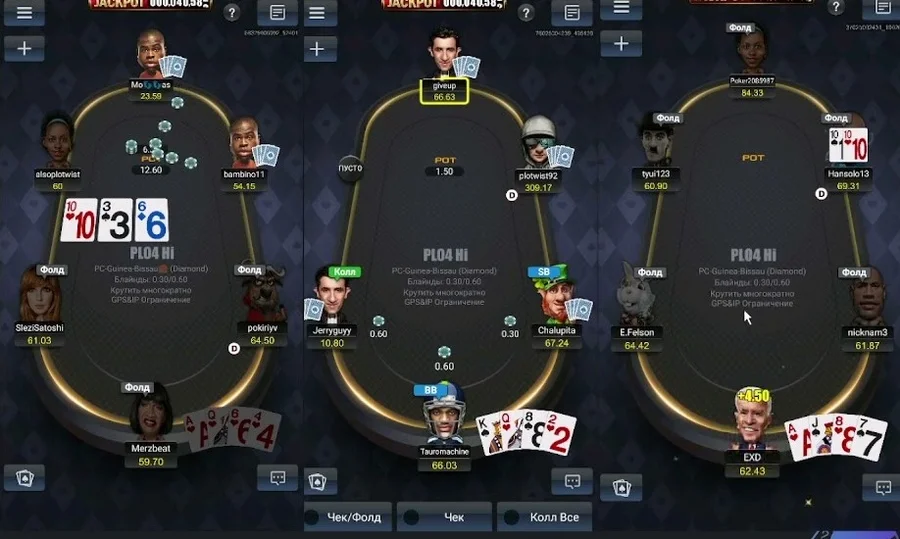
PokerBros allows you to play up to four tables simultaneously. On a phone, this requires toggling between tables. On a tablet or PC emulator, you can tile the windows for easier viewing. If you are new, start with one or two tables until you are comfortable with the touch controls and the pace of play.
Ready to find a club? Read our safety checklist first →
Safety is the number-one concern for anyone considering a club-based app. Let us separate marketing claims from facts.
PokerBros uses a certified Random Number Generator (RNG) that has been tested by three independent laboratories: iTech Labs, Gaming Laboratories International (GLI), and BMM TestLabs. What does this actually mean? It means the shuffle algorithm has been statistically verified to produce genuinely random card distributions. This is the same standard used by regulated online poker rooms in jurisdictions like the UK, Malta, and New Jersey.
Where PokerBros goes further than most competitors is its dedicated in-house security team, the Game Integrity BROS (GIB). We took apart their newest layer, the Photo Rotation check, in a separate review of the PokerBros anti-bot system. Their proactive detection rate for bots and collusion has reportedly risen from 75% at launch to 96–98% as of recent reports. They use machine-learning models trained on millions of hands to flag suspicious patterns in real time.
This is not outsourced security. It is an internal team with a public-facing blog that periodically publishes updates about their technology and enforcement actions. That level of transparency is rare in the club-app space.
Even with strong platform security, your safety also depends on your own behavior. Here are non-negotiable rules:
Expert Tip
Stick to clubs that are members of well-known unions. Unions have standards for member clubs, and clubs can be expelled for unethical behavior. That threat of expulsion acts as a deterrent.
PokerBros offers several ways to get help:
Response times vary. The official blog claims under-five-minute response times on social media, but email inquiries may take 24–48 hours. For club-specific issues (chip transfers, disputes), your first contact should always be the club admin or agent.
If you cannot log in or tables will not load, follow this diagnostic checklist before panicking:
If the PokerBros app crashes repeatedly, use this troubleshooting matrix:
| Problem | Likely Cause | Solution |
|---|---|---|
| Crash on launch | Outdated app version | Update via Play Store/App Store or reinstall APK |
| Freeze during gameplay | Insufficient RAM | Close background apps; reduce active tables |
| Laggy animations | Weak internet connection | Switch to Wi-Fi; disable VPN if possible |
| Black screen | GPU/emulator conflict | Update graphics drivers; try a different emulator |
| Login loop | Corrupted cache | Clear app cache (Android) or reinstall (iOS) |
Tip
On Android, clearing the cache is safer than a full reinstall because you will not lose your login state. Go to Settings → Apps → PokerBros → Storage → Clear Cache.
If you are traveling or using a VPN, PokerBros may restrict access based on your IP geolocation. Some clubs also enforce IP or GPS restrictions at the table level to prevent collusion. If you encounter a login error:
Still stuck? Skim the FAQ below, then reinstall from the official build.
There is no native pokerbros windows app or Mac desktop client. Windows users must run PokerBros through an Android emulator such as LDPlayer or BlueStacks. Mac users with Apple Silicon (M1/M2/M3) can install the iOS version directly from the Mac App Store. Intel-based Macs require an emulator.
No. PokerBros is a social gaming platform that uses play-money chips. The app itself does not process real-money transactions. Any exchange of Club Chips for real-world value occurs outside the application through private arrangements with club owners or agents. Players should understand that such exchanges carry risk and may violate local laws.
Evaluate the club's reputation before joining. Look for these positive signs: membership in a recognized union, responsive admin communication, positive reviews on social media or poker forums, and referrals from players you trust. Avoid clubs that refuse to verify their history or promise guaranteed returns.
First, verify whether the issue is widespread by checking Downdetector, the official PokerBros social media accounts, or Reddit. If other users are reporting the same problem, the servers may be under maintenance. If the issue is isolated to your device, restart the app, clear the cache, or reinstall. Ensure your internet connection is stable and disable any active VPN.
You can play up to four tables simultaneously on the PokerBros app. On a phone, you will switch between active tables. On a tablet or PC emulator, you can arrange the windows side by side for easier multitabling. New players should start with one or two tables.
On mobile devices, HUDs are not supported. On PC emulators, some third-party tools may technically function, but using them violates the Terms of Service and can result in a permanent ban. PokerBros actively monitors for automated play and has a reported proactive bot detection rate of 96–98%. Our blog explains how server-hosted poker bots are built and why they get caught, and what the Fiverr bot market actually sells.
Android users can update through the Google Play Store or by downloading the latest APK from the official pokerbros.net website. iOS users should update via the App Store. Enabling automatic updates is recommended to ensure you always have the latest security patches and features.
LDPlayer is generally considered the best option for running the pokerbros windows app experience because it is lightweight and optimized for gaming. BlueStacks is a solid alternative with more features but heavier resource usage. NoxPlayer works on older hardware. Minimum recommended specs: 8GB of system RAM, an SSD, and virtualization (VT-x/AMD-V) enabled in BIOS.
The PokerBros app is not for everyone, and that is okay. It fills a specific niche exceptionally well.
Best For
Not For
If you understand the club model, accept the responsibility of choosing trustworthy admins, and want a mobile experience that rivals many traditional poker clients, PokerBros is arguably the strongest option in its category.
You now have the full picture: what the app does, how to use PokerBros app features, how to complete your PokerBros app download, and how to stay safe while playing. The next step is yours.
Join over a million players worldwide. Find your club, pick your game, and play your way.

Android, iOS and Windows via emulator. One link, official build.

The download link points to the current PokerBros release, never to a repacked APK.

Email binding is the only reliable way to recover the account when you switch phones.

No native Windows client, but LDPlayer or BlueStacks run the app well on a mid-range PC.
PokerBros running through an Android emulator on Windows: one table in portrait mode and three PLO tables tiled on a wide screen.